Introduction to AI Music Tools
Understanding the landscape of AI-powered music creation technology.
Artificial intelligence has revolutionized the music creation process, making it more accessible and efficient than ever before. AI music tools can help with various aspects of music production, from generating original compositions and melodies to creating stunning visual content that complements your music.
Whether you're a professional musician looking to streamline your workflow, an independent artist seeking to create professional-quality content on a budget, or a curious creator exploring new possibilities, AI music tools can significantly enhance your creative process.
In this comprehensive guide, we'll walk you through the basics of getting started with AI music tools, focusing on the most user-friendly and effective options available today. We'll cover everything from choosing the right tools for your needs to practical tips for achieving the best results.
Why Use AI Music Tools?
AI music tools can help you overcome creative blocks, speed up your production process, create professional-quality content without specialized skills, and explore new creative directions you might not have considered otherwise.
Types of AI Music Tools
Exploring the different categories of AI tools for music creation.
Before diving into specific tools, it's helpful to understand the main categories of AI music technology available today:
1. AI Music Generators
These tools create original musical compositions based on your input parameters. They can generate complete songs, instrumental tracks, melodies, chord progressions, and beats. Examples include Suno AI, AIVA, and Soundraw.
2. AI Music Video Generators
These tools create visual content that responds to and synchronizes with your music. They analyze audio elements like rhythm, tempo, and emotional tone to generate visuals that complement your music. Compeller.ai is our top recommendation in this category.
3. AI Mixing & Mastering Tools
These tools analyze and enhance your audio tracks to achieve professional sound quality. They can balance levels, apply EQ, compression, and other effects to improve the overall sound of your music.
4. AI Stem Splitters
These tools separate mixed audio tracks into individual components (stems) like vocals, drums, bass, and other instruments. They're useful for remixing, sampling, or isolating specific elements of a track.
5. AI Voice Cloning Tools
These tools create realistic vocal performances using AI voice synthesis technology. They can generate singing voices based on text input or clone existing voices for new performances.
Step-by-Step Guide to Getting Started
A practical walkthrough for beginners using AI music tools.
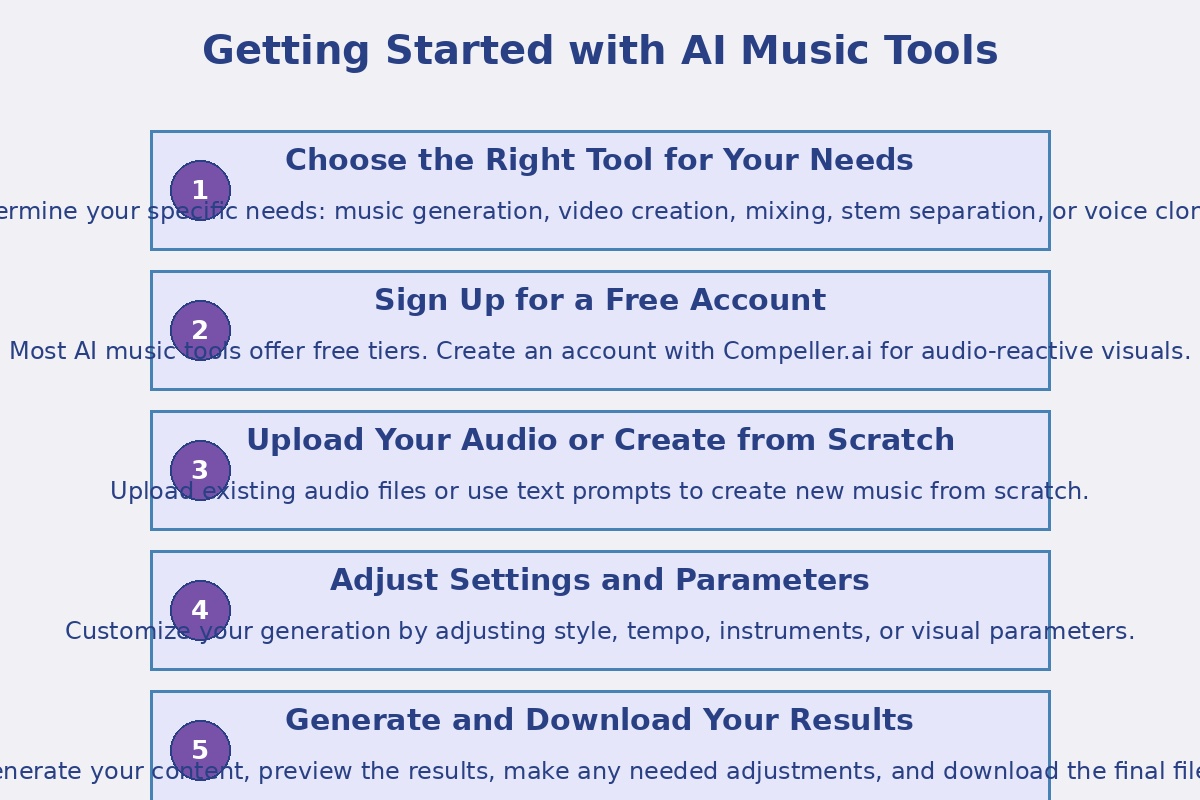
Follow these steps to begin your journey with AI music tools:
Choose the Right Tool for Your Needs
Determine your specific needs: music generation, video creation, mixing, stem separation, or voice cloning. Consider factors like your budget, technical skill level, and the specific features you require.
For beginners, we recommend starting with user-friendly tools that offer free tiers, such as Suno AI for music generation and Compeller.ai for music videos.
Sign Up for a Free Account
Most AI music tools offer free tiers that allow you to experiment before committing to a paid plan. Create an account with your chosen tool to get started.
For this tutorial, we'll use Compeller.ai as an example, which offers a forever free account for creating audio-reactive visuals.
Note
When signing up, use a dedicated email address for your creative projects to keep your accounts organized and separate from personal emails.
Upload Your Audio or Create from Scratch
Depending on the tool you're using, you'll either upload existing audio files or use text prompts to create new music from scratch.
For Compeller.ai, you'll upload your audio track in a supported format (MP3, WAV, etc.). For music generation tools like Suno AI, you'll typically provide a text description of the music you want to create.
Adjust Settings and Parameters
Customize your generation by adjusting the available parameters. These might include:
- For music generation: genre, mood, tempo, instruments, structure
- For video creation: visual style, color palette, animation type
- For mixing: loudness target, EQ profile, dynamic range
Take time to experiment with different settings to understand how they affect the output.
Tip
Keep notes on which parameter combinations produce results you like. This will help you develop a more intuitive understanding of the tool over time.
Generate and Download Your Results
Once you've configured your settings, initiate the generation process. Depending on the complexity of your request and the tool you're using, this might take anywhere from a few seconds to several minutes.
After generation is complete, preview the results and make any necessary adjustments. When you're satisfied with the output, download the files in your preferred format.
Most tools offer standard formats like MP3 and WAV for audio, and MP4 for video content.
Best Practices and Tips
Expert advice for getting the most out of AI music tools.
To maximize your results with AI music tools, consider these best practices:
Be Specific in Your Prompts
When using text-to-music or text-to-video tools, the quality of your prompt significantly impacts the results. Be specific about genre, mood, instruments, tempo, and any other relevant details. For example, instead of "happy song," try "upbeat pop song with acoustic guitar, piano, and a catchy chorus at 120 BPM."
Generate Multiple Versions
AI generation has a random element, so creating multiple versions with the same parameters can yield different results. Generate several options and select the best one, or combine elements from different generations.
Iterate and Refine
Treat AI-generated content as a starting point rather than a finished product. Use the initial output as a foundation, then refine and customize it to better match your vision.
Combine Different AI Tools
For the best results, consider using multiple AI tools in combination. For example, generate music with Suno AI, enhance it with an AI mixing tool, and then create a video with Compeller.ai.
Learn Basic Music Theory
While AI tools can create music without requiring technical knowledge, understanding basic music theory will help you communicate more effectively with the AI and make more informed decisions about the output.
Important Note on Copyright
Always check the terms of service for each AI tool you use to understand the copyright status of the content you create. Most tools grant you rights to use the generated content commercially, but there may be limitations or requirements for attribution.
Case Study: Creating a Complete Project
A practical example of using AI tools for a complete music and video project.
Let's walk through a complete project using AI tools to create both music and visuals:
Project Goal
Create a 2-minute electronic track with accompanying visuals for social media.
Step 1: Generate the Music
Using Suno AI, we'll create an electronic track with the following prompt:
"Create an upbeat electronic dance track with a driving beat at 128 BPM. Include a catchy synth melody, deep bass, and a dramatic build-up leading to an energetic drop at the halfway point. The mood should be energetic and optimistic."
Step 2: Enhance the Audio
After downloading the generated track, we'll use an AI mixing tool to enhance the sound quality, ensuring it's well-balanced and optimized for social media platforms.
Step 3: Create the Visuals
Using Compeller.ai, we'll upload our enhanced audio track and select a visual style that complements the electronic genre. We'll choose parameters that emphasize the beat and highlight the dramatic drop in the middle of the track.
Step 4: Final Export and Publishing
Once the video is generated, we'll download it in high quality and prepare it for publishing on social media platforms. We might add a title card or logo at the beginning and end using a basic video editor.
Time Investment
This entire process can be completed in under an hour, compared to the days or weeks it might take using traditional methods. The bulk of the time is spent waiting for the AI to generate content and making creative decisions about parameters.
Additional Resources
Further learning materials to deepen your understanding of AI music tools.
To continue your learning journey with AI music tools, explore these additional resources:
Tool-Specific Tutorials
Tool Comparisons and Reviews
Community Resources
Join online communities where creators share their experiences with AI music tools:
- Reddit: r/AIMusic and r/MusicProduction
- Discord: Many AI music tools have official Discord servers where users share tips and showcase their work